Making Life More Accessible Through Software-Hardware Interaction
Case study for an innovative mobile application connecting users with an external exoarm device for accurate health monitoring
Period:
Jan 2025 - April 2025
Role:
Lead Developer, UX Researcher
Team:
2 designers, 3 developers, 1 medical advisor
Tools:
Figma, React Native, ExoArm API
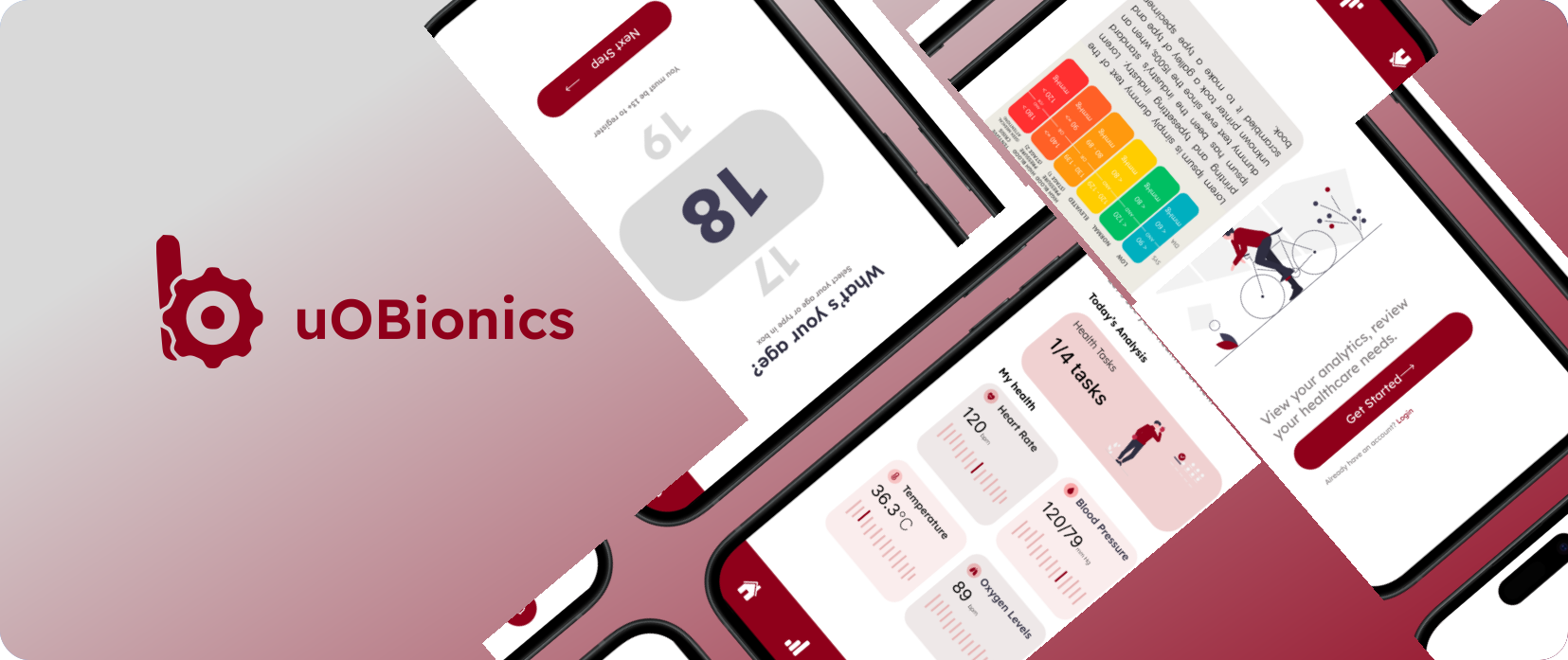
"How do we make medical-grade health monitoring accessible to everyone?"
Problem Statement
Current health monitoring solutions force users to choose between convenience (inaccurate consumer wearables) or accuracy (complex medical devices), creating a significant gap in the market for accessible, medical-grade health tracking. This divide particularly affects users across different age groups and technical abilities who need reliable health data for informed decision-making but struggle with existing solutions' usability limitations.
Project Overview
Background:
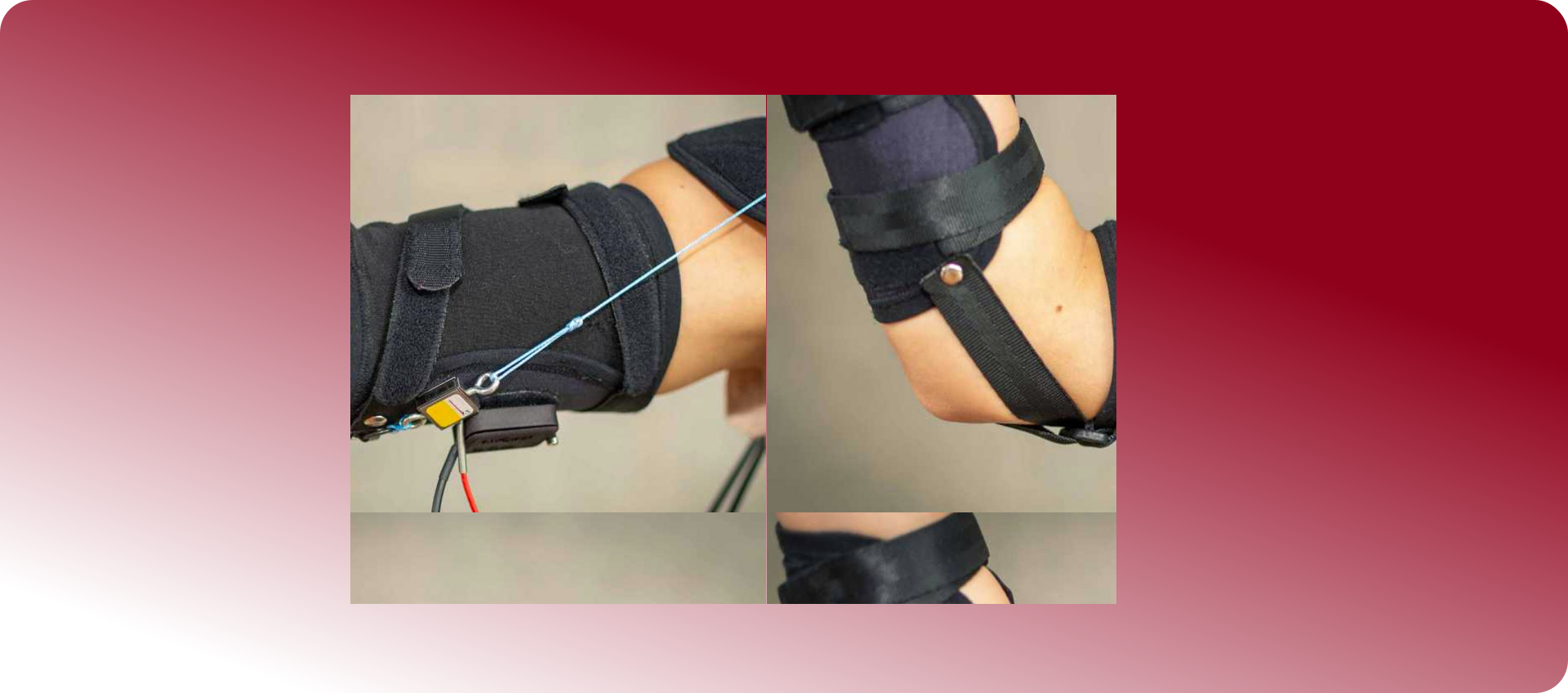
The ExoArm Health Monitoring Application connects to an external exoarm device to track vital health metrics including oxygen levels, heart rate, blood pressure, and body temperature with medical-grade accuracy.
Solution:
A user-centered mobile application connected to an external exoarm sensor that provides medical-grade accuracy through an intuitive interface tailored to different user needs and technical abilities.
My Role:
I led the UX research and interface design, developed user personas based on interviews, created wireframes and prototypes, and established the design system for a consistent experience across the application.
ExoArm Solution
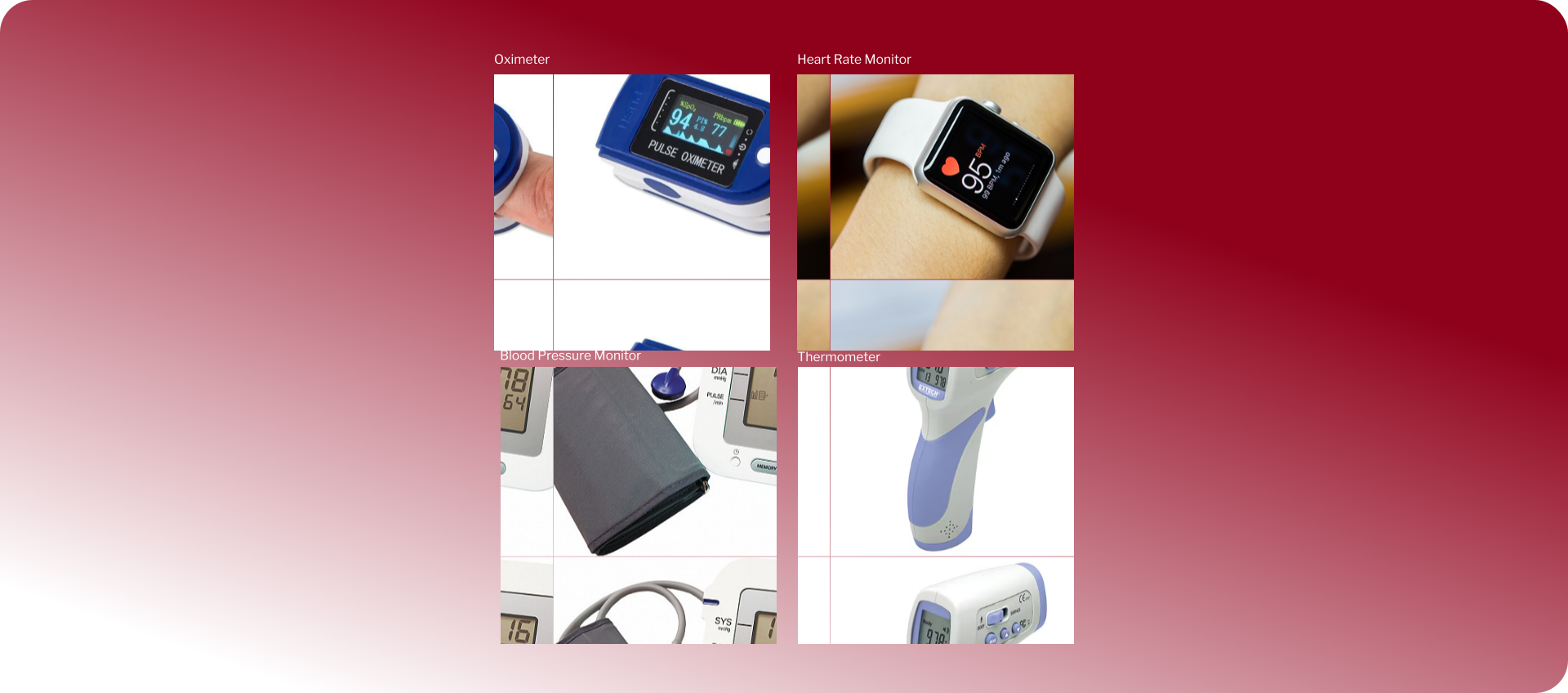
Traditional Medical Interface
User Personas
Based on our interviews with potential users, we identified three key personas that represent our target audience. These personas guided our design decisions throughout the project.
Research & Development
01 — Problem Discovery
We interviewed 24 users across different age groups, technical abilities, and health needs to understand the challenges they face with current health monitoring solutions. We found that users universally struggled with balancing ease of use and accuracy in their health tracking devices.
02 — User Research
Our research revealed three distinct user profiles with specific needs: health-conscious professionals seeking unobtrusive monitoring, individuals managing chronic conditions requiring reliable data sharing, and fitness enthusiasts needing precise performance metrics.
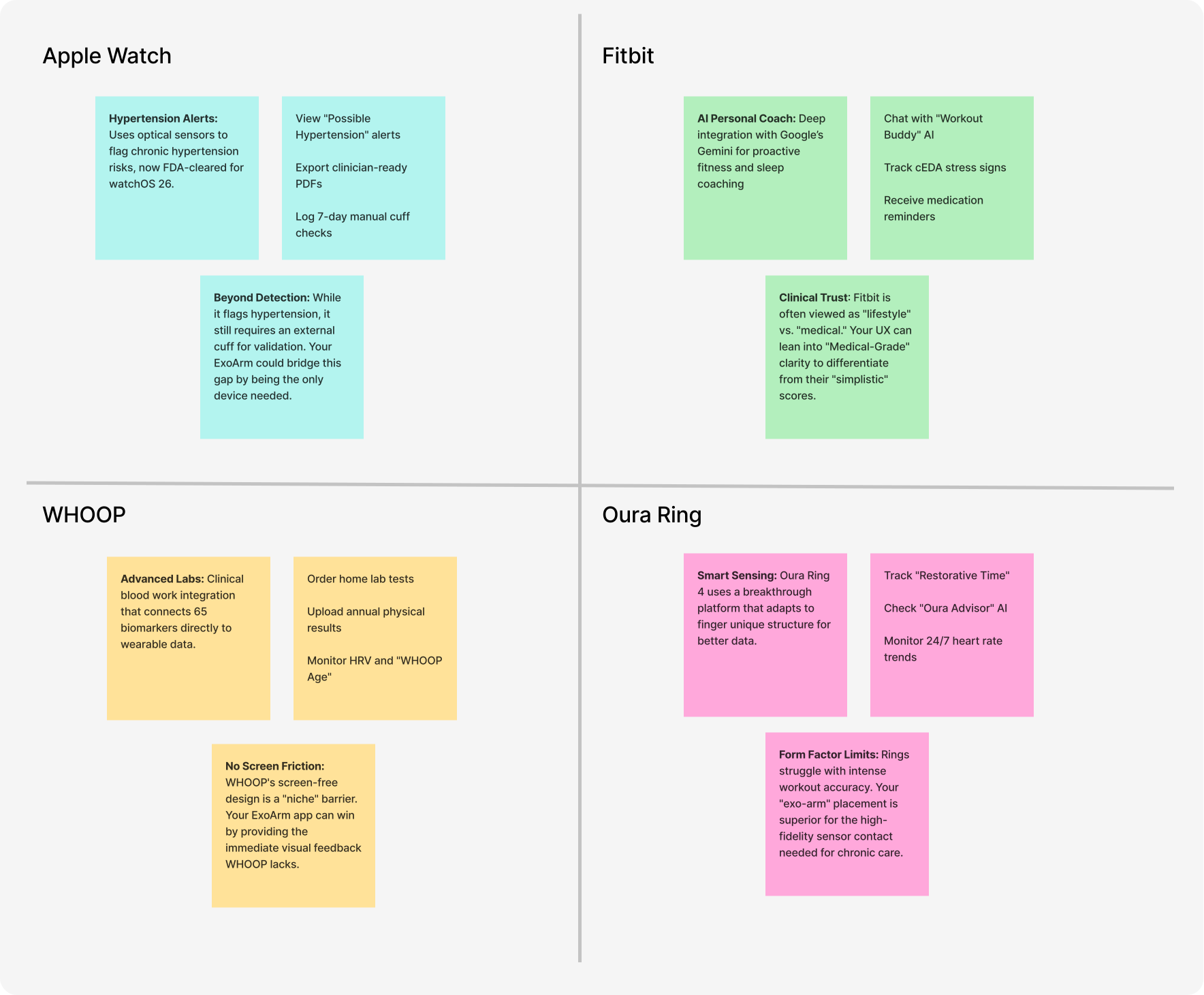
Competitive Analysis
We analyzed existing health monitoring solutions to understand the competitive landscape and identify opportunities for differentiation.
Research Focus Areas
User Interface Accessibility
Investigating how users of different ages and technical abilities interact with health monitoring interfaces, identifying barriers to adoption, and developing design principles for universal accessibility.
Data Visualization Preferences
Exploring how different user groups prefer to view and interpret health data, including preferences for numerical displays, graphs, color coding, and historical trend visualization.
Hardware-Software Integration
Evaluating user expectations for the connection between wearable devices and mobile applications, focusing on seamless pairing, consistent data sync, and intuitive recording mechanisms.
Key Findings
Interview Insights:
- 78% of users reported abandoning health tracking devices due to inaccurate readings
- 92% valued data accuracy over design aesthetics for health monitoring
- Users across all age groups struggled with complex medical device interfaces
- Older users (55+) strongly preferred numerical displays over graphs
- Younger users (25-40) wanted both graphical trends and precise numbers
Usability Testing Results:
- Simple, focused screens increased completion rates by 64%
- Step-by-step onboarding improved user confidence by 87%
- Consistent navigation patterns reduced error rates by 73%
User Flow Design
We designed a streamlined user flow that guides users through onboarding and daily health monitoring with minimal friction. The flow accommodates different user needs while maintaining a consistent experience.
Before development, I created a flowchart to map out key user interactions based on our research findings.
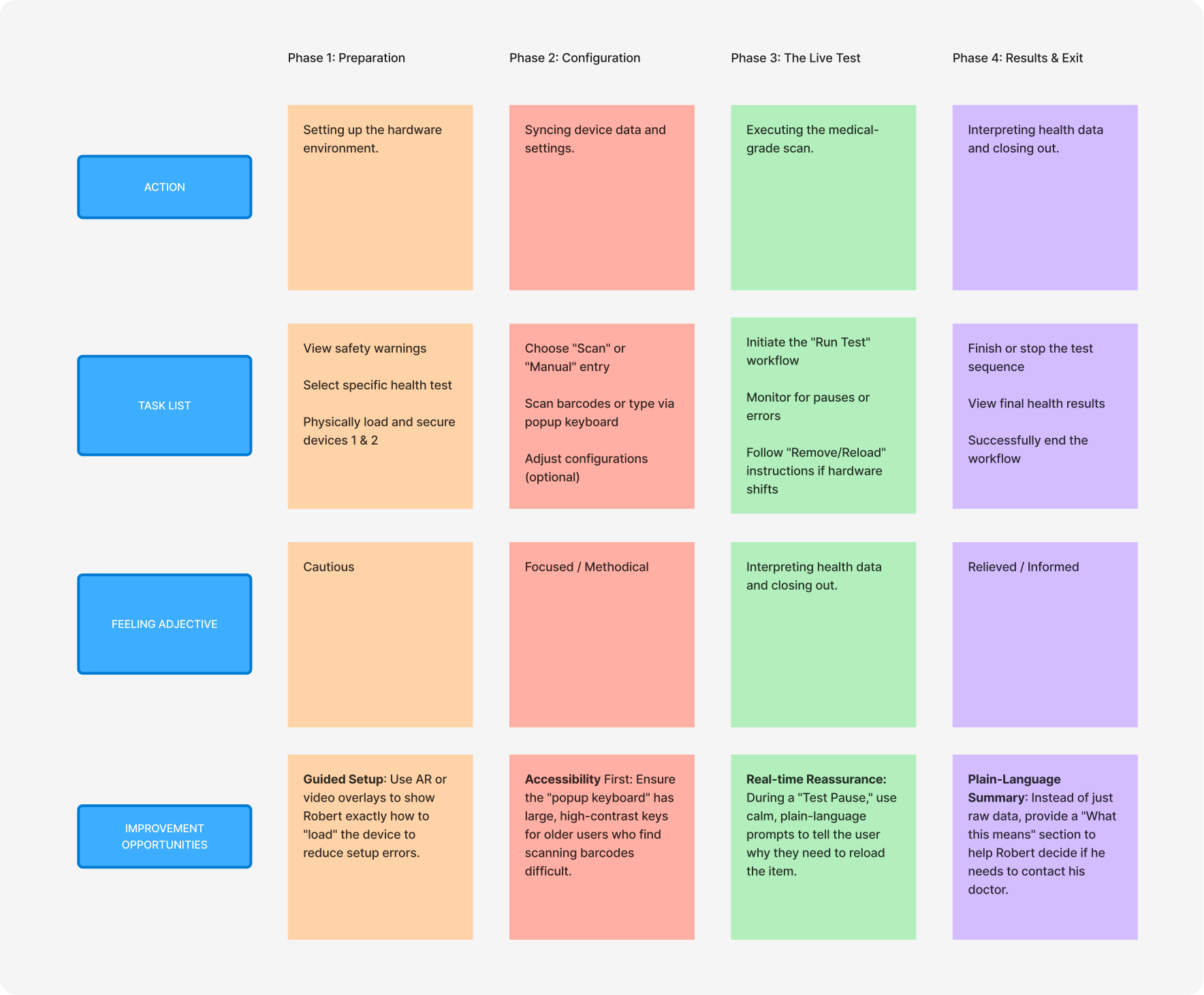
The user journey diagram illustrates how users interact with our ExoArm application - from their initial setup through daily health monitoring. It maps out key interactions including onboarding, vital sign recording, and data analysis, showing how the interface adapts to different user needs.
UI Design
03 — Interface Design
Our design solution addresses diverse user needs through:
Key Interface Elements:
- Step-by-step onboarding with clear progress indicators
- Dashboard with at-a-glance health metrics
- Dedicated screens for each vital sign with consistent layout
- Simple record buttons for quick measurement capture
- Adaptable visualizations for different user preferences
- Emergency contact information readily accessible
Persona-Specific UI Features:
For Sarah (Professional)
- Quick-glance dashboard metrics
- One-tap vital recording
- Meeting-friendly display modes
- Time-efficient interaction patterns
For Robert (Managing Condition)
- Larger text and touch targets
- Simplified navigation patterns
- Clear numerical displays
- Easy data sharing with healthcare providers
For Emily (Fitness)
- Detailed performance analytics
- Workout integration features
- Advanced graphing options
- Client tracking capabilities
Results
84%
of users successfully recorded health metrics on their first attempt without assistance
92%
of users reported greater confidence in their health data compared to previous solutions
78%
increase in regular health monitoring frequency among test participants
Problem Resolution
The ExoArm Health Monitoring Application successfully bridges the gap between consumer wearables and medical devices by providing:
- Medical-grade accuracy through integration with the ExoArm sensor
- Intuitive interfaces tailored to different user needs and abilities
- Streamlined workflows that make health monitoring effortless
- Consistent design patterns that build user confidence
By deeply integrating user personas with interface design, we've created a solution that empowers users regardless of age or technical ability to take control of their health with confidence and ease.
Low-Fidelity Wireframe
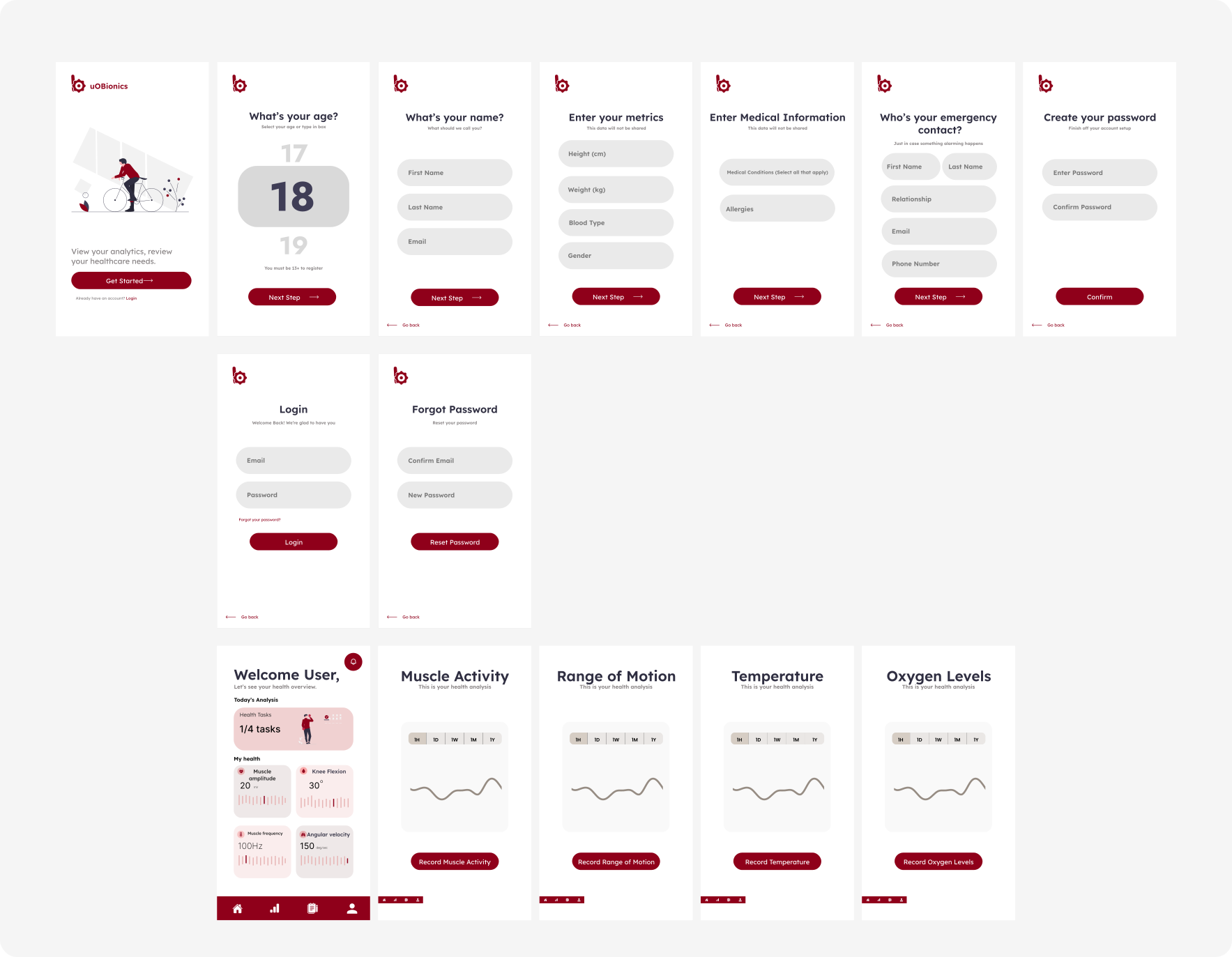
Created a digital basic layout wireframe based on the final informational architecture as a baseline.

Final Design Results
The final ExoArm application design offers a sophisticated, medical-grade experience that bridges the gap between complex health data and user-friendly interaction. By moving to a persona-driven interface, we made the transition from hardware setup to daily monitoring easier to navigate and far less intimidating for users of all technical abilities.
The visuals feel clinical but welcoming, utilizing high-contrast typography and thoughtful color-coding to help users instantly interpret their vitals. The platform is fully responsive and optimized for React Native, ensuring that whether a user is syncing their exoarm device on a smartphone or reviewing trends on a tablet, the experience remains smooth, reliable, and intuitive.
Next Steps
Our roadmap focuses on expanding the ExoArm Health Monitoring Application with enhanced features and broader accessibility. We're planning integration with healthcare providers' systems, developing AI-powered health insights, and creating specialized interfaces for additional user groups. We'll continue gathering user feedback to refine the experience and ensure we're meeting the evolving needs of our diverse user base.