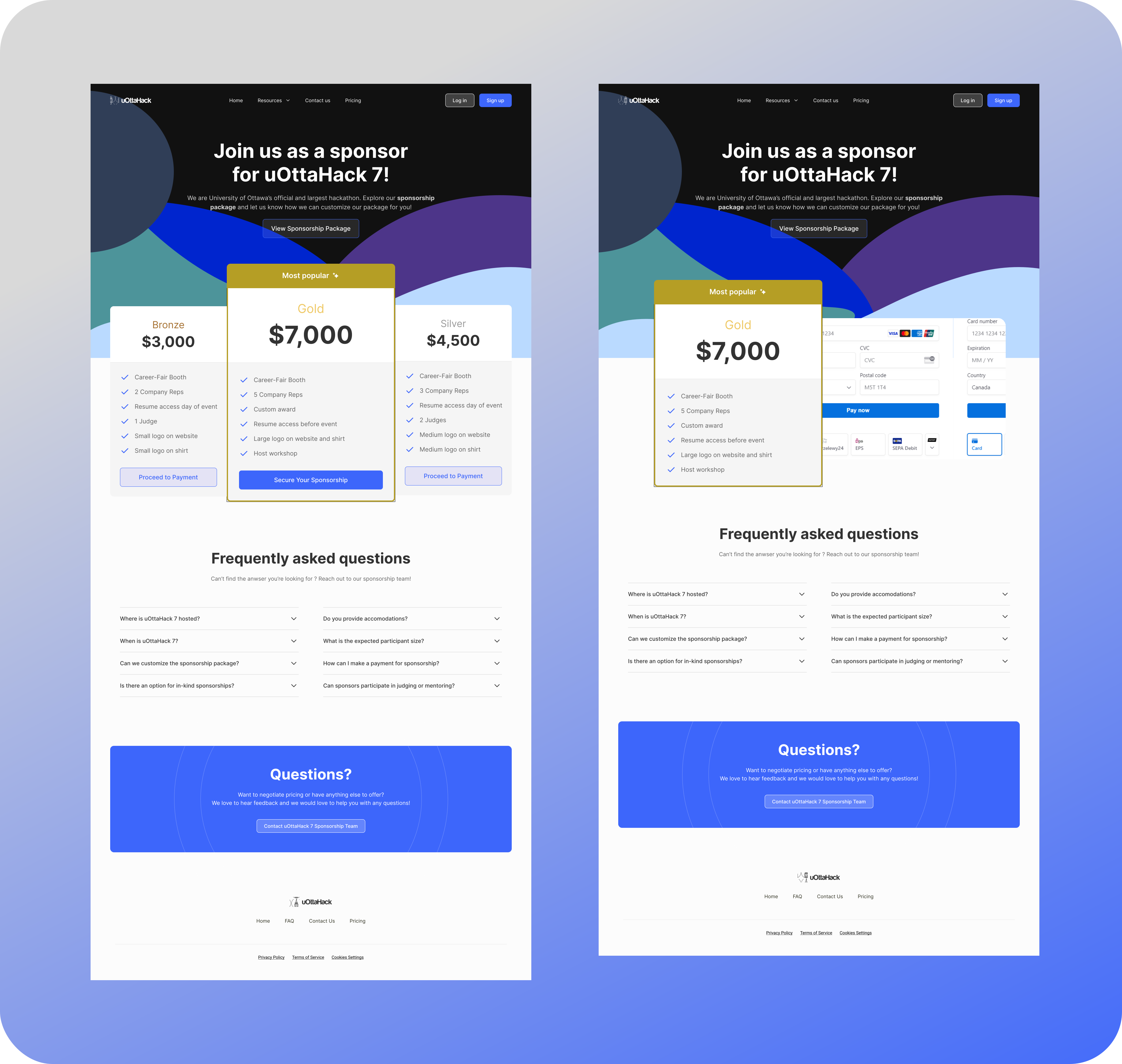
Enhancing the Sponsorship Experience
Creating an interactive portal for sponsors of Canada's 2nd largest hackathon
Period:
March - April 2024
Role:
Co-Director, UX Designer
Team:
3 Directors, 2 Developers
Tools:
Figma, React, MongoDB, Express, Node.js, Heroku
Problem Statement
Sponsors who support uOttaHack rely on emails for updates, leading to potential delays and a less engaging experience. Our goal is to enhance communication by introducing more immediate and interactive methods, improving sponsor engagement and satisfaction.
Context
uOttaHack is a student organization that supports students all around Canada in sparking their creative spirit, connecting them with company resources, and exploring their limits. Sponsors are the main source of financial support to host the event. In previous years, the way to track sponsors requests and provide upcoming information was solely via email, which caused issues in tracking information.
As the new co-director of the hackathon, I led redesigning of the sponsor experience. Over 3 months, I worked alongside the other co-directors and the development team to develop a new experience, with guidance from previous sponsors.
Result
Our solution addressed key pain points identified in the research phase. Here's how the uOttaShop portal transformed the sponsorship experience:
| The Problem (Legacy Email) | The UX Solution (uOttaShop) | Result |
|---|---|---|
| Hasty/Manual Scheduling | Automated Dashboard Scheduling | 45% prefer the new speed. |
| Information Silos | Centralized Information Board | 70% feel more comfortable. |
| Tracking Issues | Portal + Legacy Integration | 100% utility across platforms. |
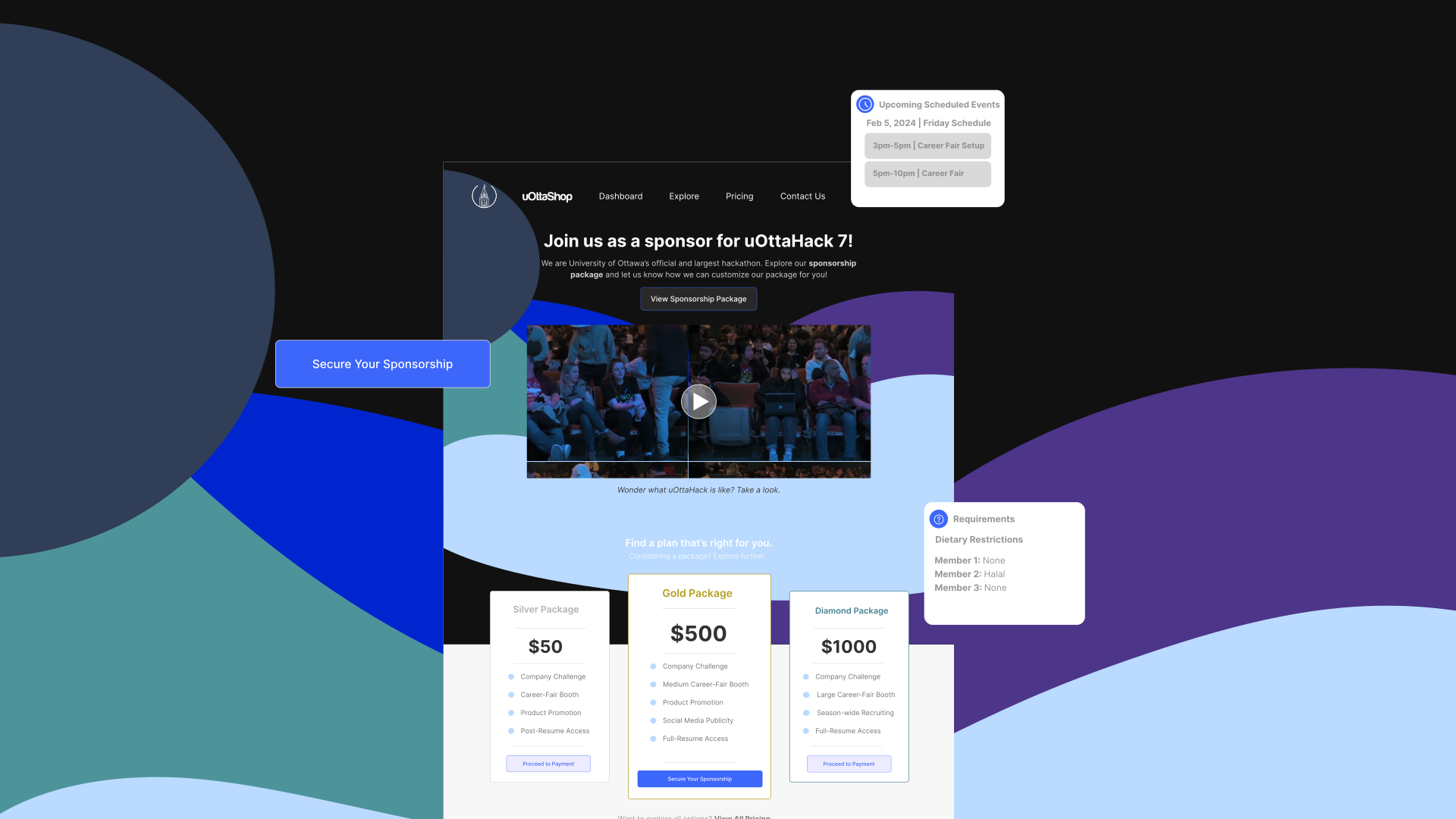
Within one month, we designed an interactive design showcasing the uOttaShop to the development team and other directors.
Current State
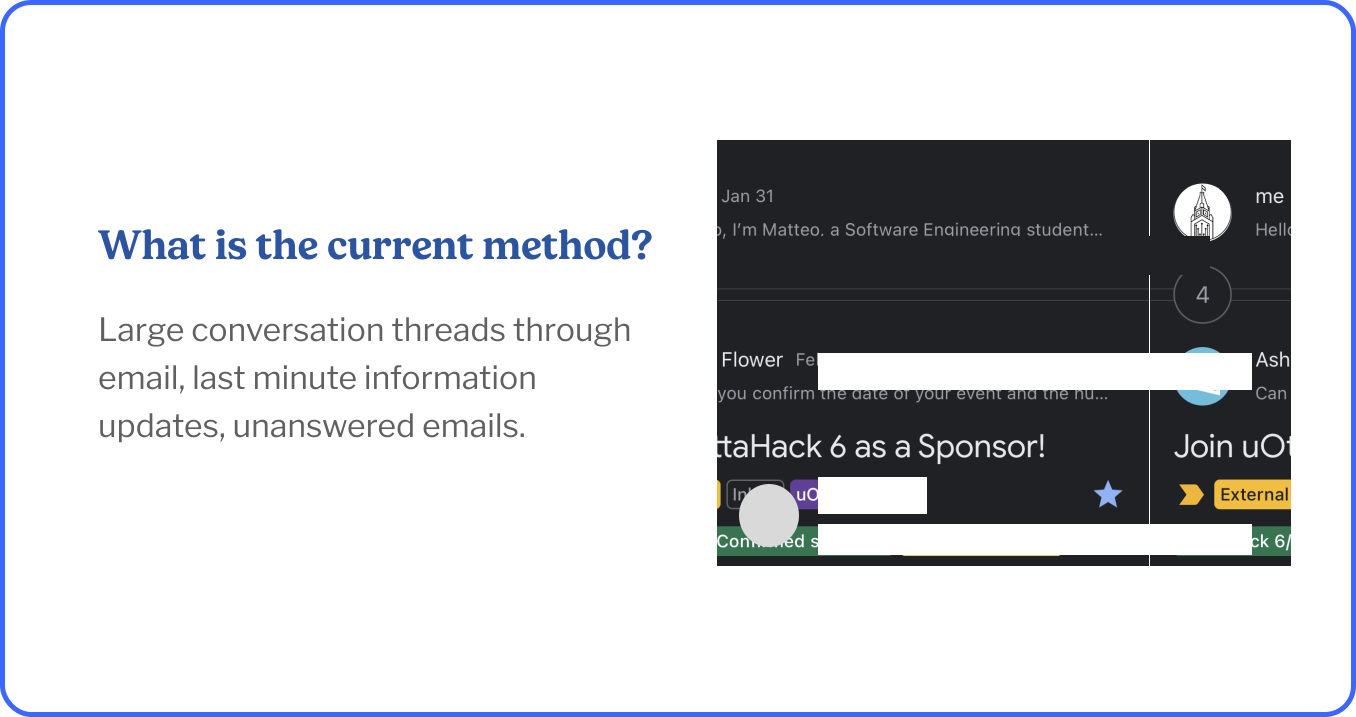
This is the current state of what sponsors receive, a simple email and a very long conversation thread between our sponsorship team and the sponsors.
Research
I surveyed 42 people who are part of various companies and organizations across Ontario, Canada. I conducted a survey with uOttaHack Sponsor representatives and the Sponsorship team to hear their thoughts and this is what they said:
Hasty scheduling process. Required frequent updates from the team.
Unknown information until a few weeks before the event.
Information should have been prepared after the confirmation of our sponsorship.
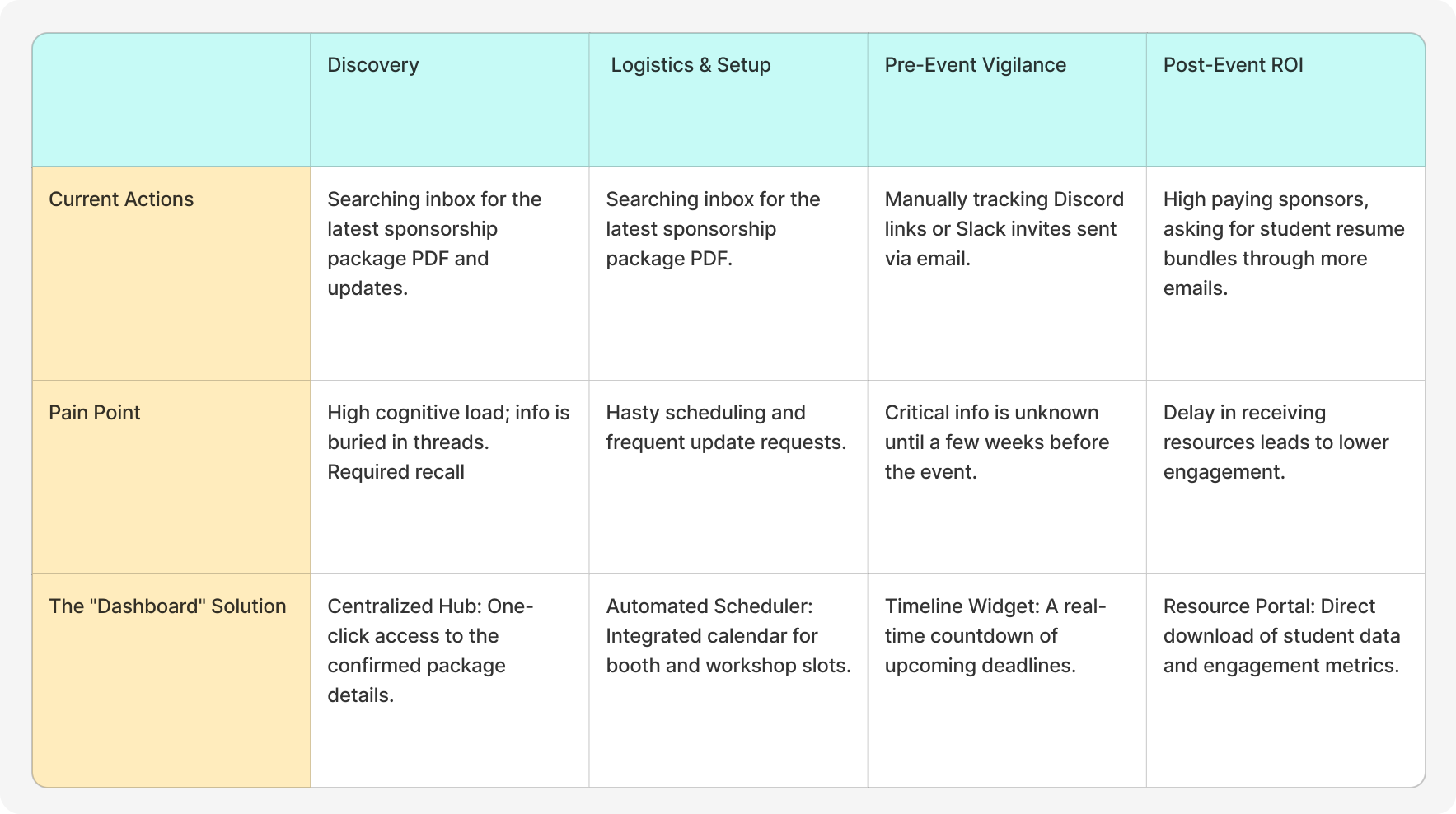
User Journey
Based on our research findings, I mapped out the user journey to visualize how sponsors interact with the sponsorship process, from initial contact through event participation. This journey map helped identify pain points and opportunities for improvement throughout the sponsorship experience.
Goals
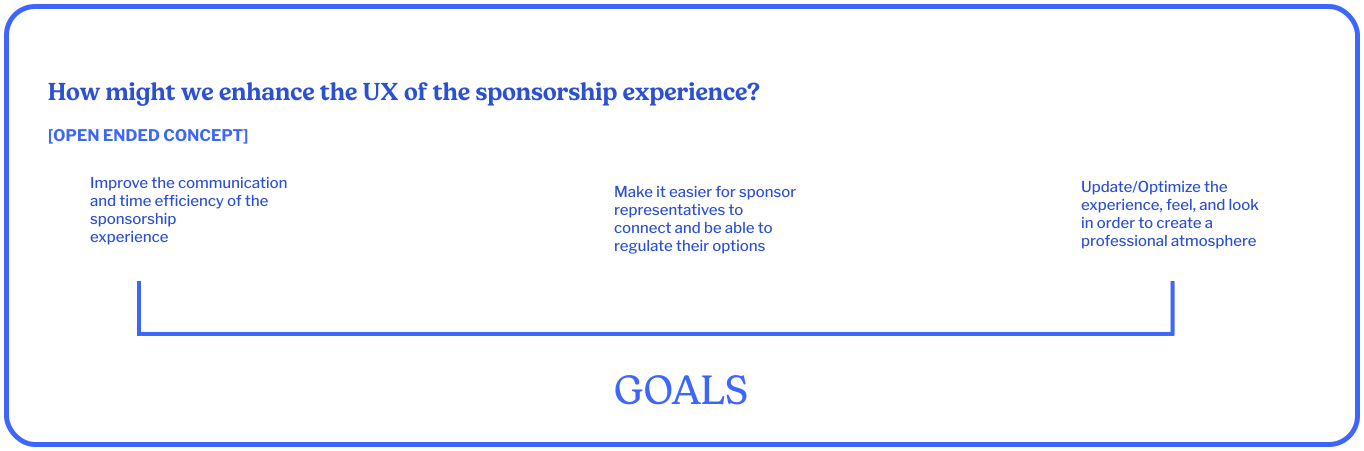
How might we enhance the UX of the sponsorship experience?
Goal 1: Improve the communication and time efficiency of the sponsorship experience.
Goal 2: Make it easier for sponsor representatives to connect and be able to regulate their options.
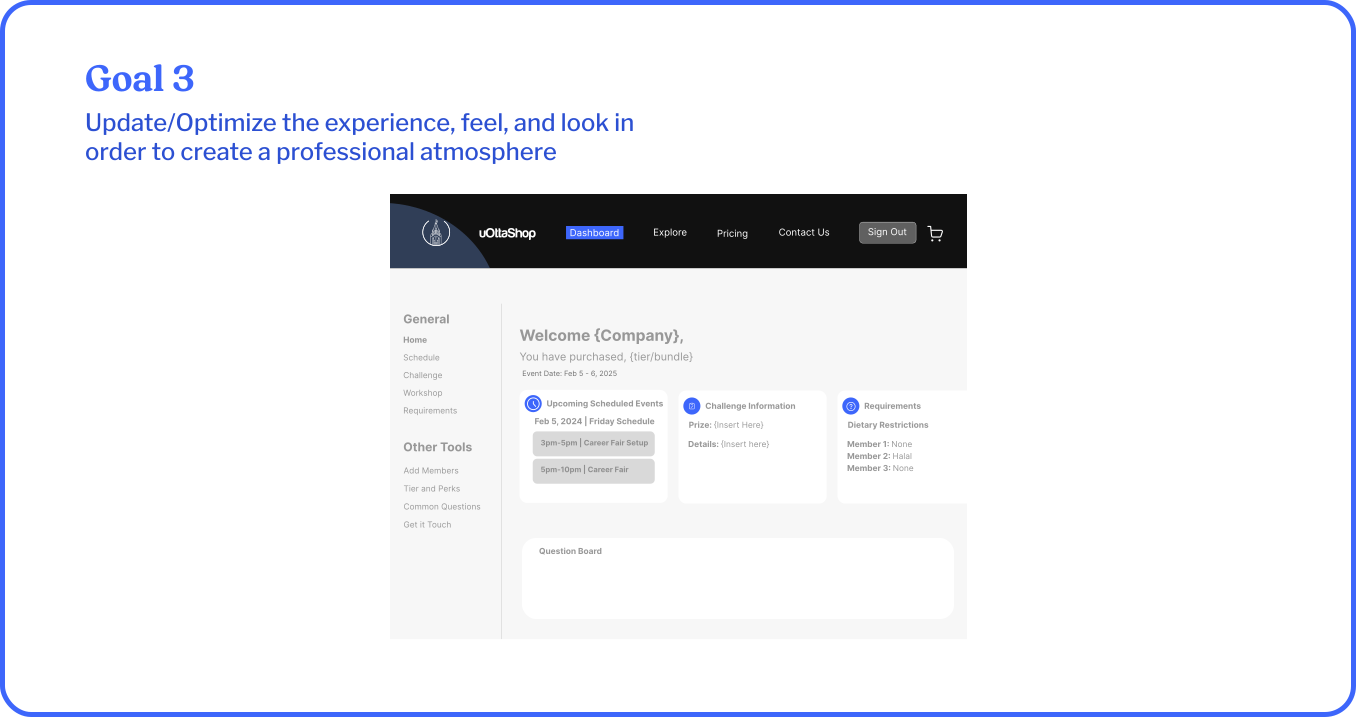
Goal 3: Update/Optimize the experience, feel, and look in order to create a professional atmosphere.
Ideation for Sponsorship Communication
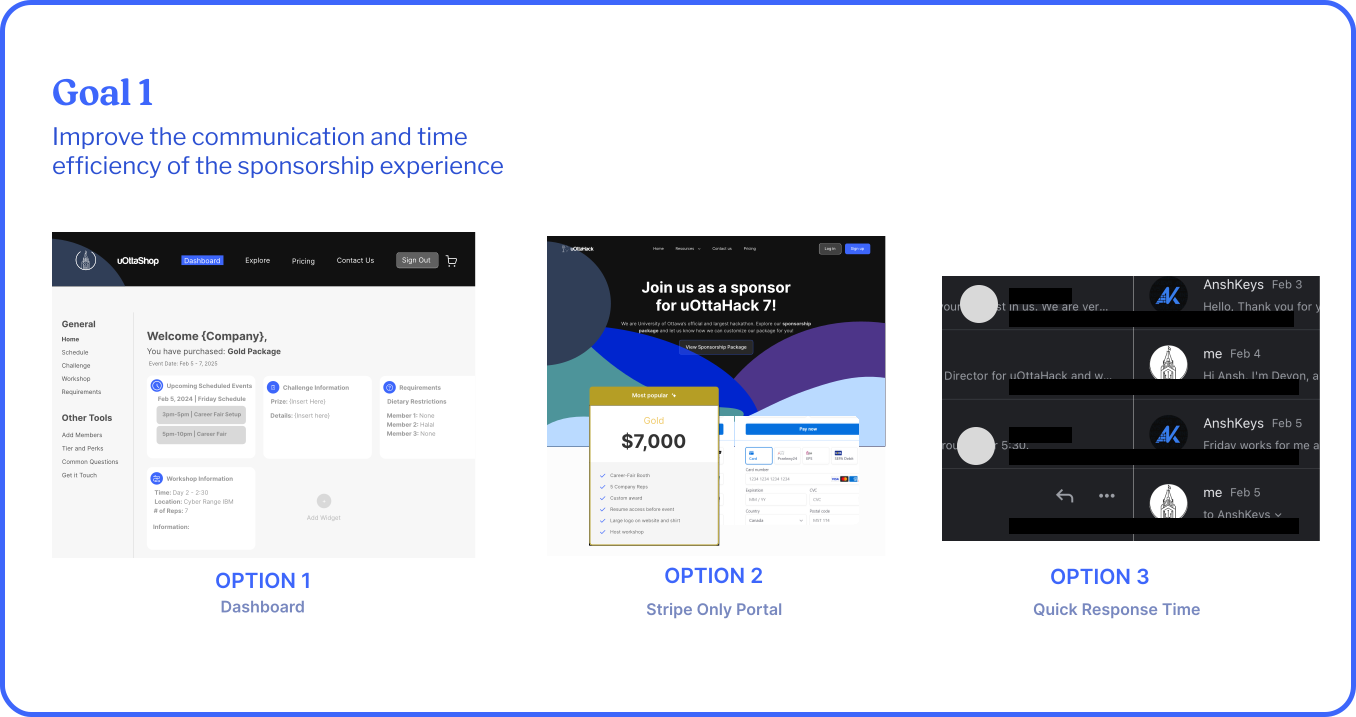
My first goal of improving communication and time efficiency, is that we came up with these three options for how we can display the users needs:
Option 1: Dashboard. Option 1 laid out all the information on one screen, which was different than our previous methods. It allowed for the user to have control of what they were involved in.
Option 2: Stripe. Option 2 was a Stripe only portal, allowing for communication for purchase which allowed a single way transaction ensuring safety of their purchase.
Option 3: Quick Response Time. Option 3 offered no independence; however, it offers a traditional alternative for people who are not looking for a long term communication.
Ideation for Sponsorship Regulation
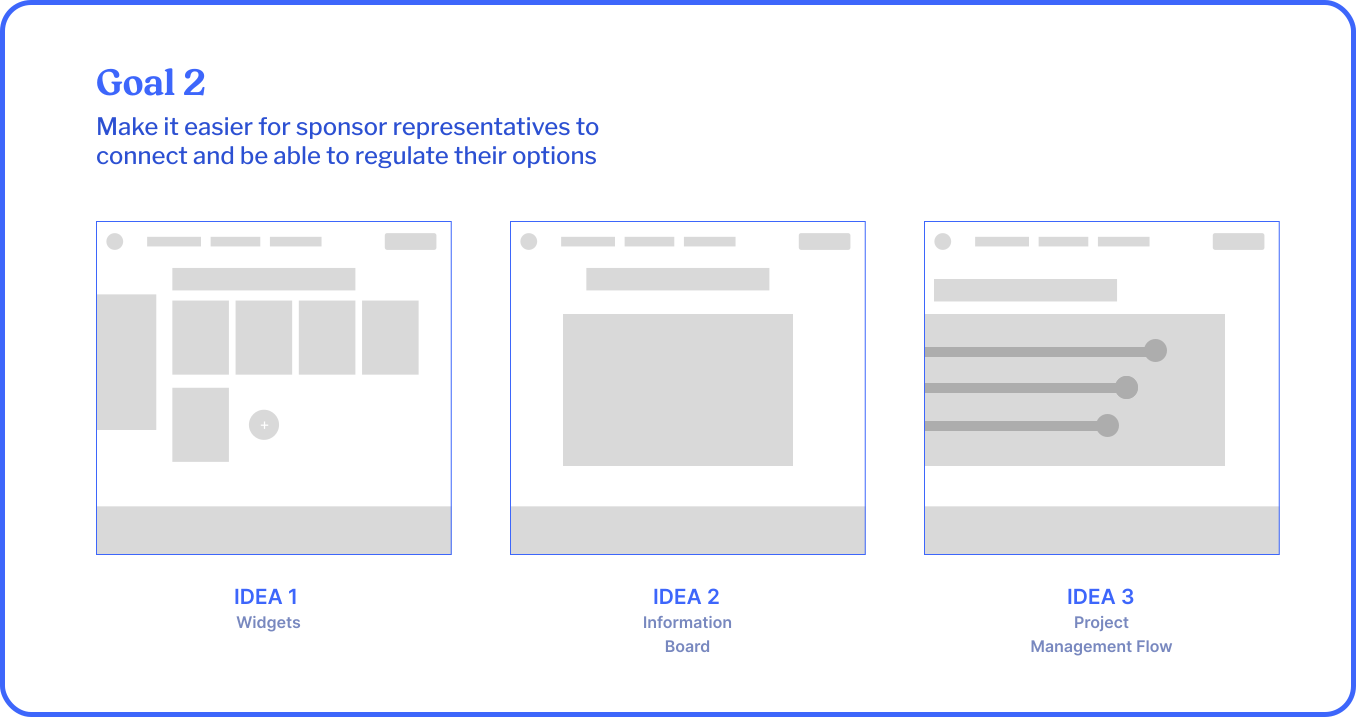
The second goal was to make it easier for sponsorship representatives to connect and be able to regulate their options. For this, we ideated the types of ways we could present the information rather than navigation.
From user and research, people mentioned that they would like to know about their deadlines, where all the information is located, for their coworkers to be informed, and simply just more information in general about the organization.
Idea 1: Widgets
Idea 2: Information Board
Idea 3: Project Management Flow
Options
After deliberation, eliminating Option 3 seemed to be the best option, as we found that it was harder to be able to track various email threads amongst sponsors as well as organizers. Since there was human error revolved in this process, it would talk more time to regulate various companies emails. This option was the least scalable option amongst all the other options.
Review
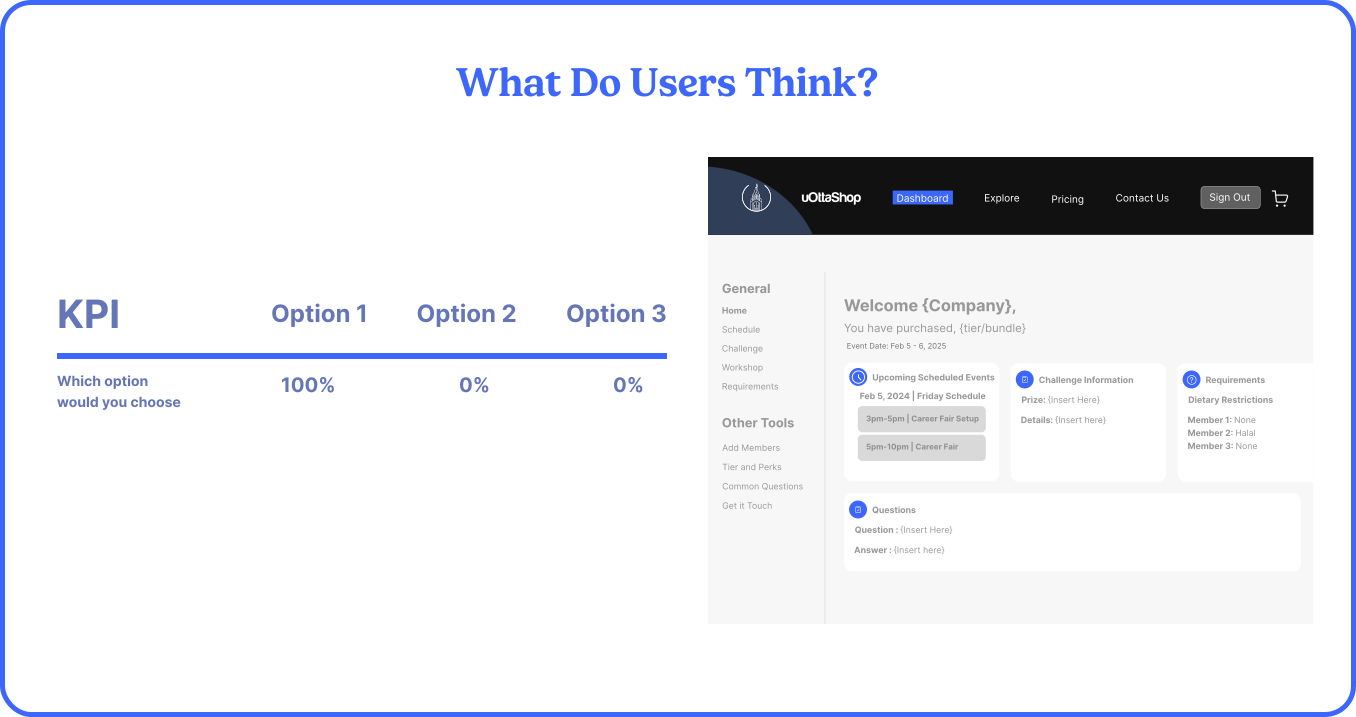
When presented with the options, 100% of participants said they would rather Option 1 which housed more personalization and information.
When asked why, they said this:
- Option 2 offers an isolating option with no variety, whereas Option 1 is very autonomous.
- Option 3 doesn't offer a broadened view, just scheduling which isn't always the issue.
- Option 1 allows for no requirements to discuss to organizers about simple information. It allows for a very independent view.
Stakeholder Feedback & Iteration
Bridging the Gap Between Director Vision and Developer Feasibility
As a co-director, I held weekly "sync-and-critique" sessions with the development team and other directors to ensure our three ideation options were realistic.
The Pivot on Option 3:
While "Quick Response Time" felt traditional, we collectively decided to eliminate it. Our developers noted that it was the least scalable and most prone to "human error," requiring too many manual hours to regulate.
The Dashboard Refinement:
Based on director feedback, we realized the dashboard needed to be more than just a data view; it needed to be autonomous. We added "Widgets" (Idea 1) specifically because our research showed sponsors wanted their coworkers to stay informed without needing to share login credentials.
Usability Testing Process
Validating the uOttaShop Experience
We didn't just look at the results; we looked at the behavior. I conducted moderated usability tests with 42 representatives across Ontario to validate the "Professional Atmosphere" goal.
The Task:
"Find your booth assignment and upload your company logo for the event program."
The Finding:
100% of users successfully used the uOttaShop portal alongside legacy methods, proving that the portal didn't replace the relationship—it enhanced the logistics.
The "Comfort" Metric:
The 70% preference for the website over email was driven by the Information Board (Idea 2), which reduced the "unknown info" fear that sponsors reported in our early surveys.
Handoff & Monitoring
Ensuring a Seamless Build for the Hackathon Season
A design is only as good as its implementation. Within one month, I finalized the interactive prototype for the uOttaShop Portal and led the handoff to the engineering team.
Documentation:
Provided a full design system in Figma, including "Empty States" (what the dashboard looks like before a sponsor signs up) and "Success States."
KPI Tracking:
We are monitoring Time-to-Completion for sponsor requests. Our goal is to reduce the "Sponsorship Team" manual intervention by 50% during the peak hackathon month.
Iterative Loops:
As we move into the next hackathon season, we will gather live feedback to refine the "Project Management Flow" (Idea 3) for more complex sponsor tiers.
Final Design
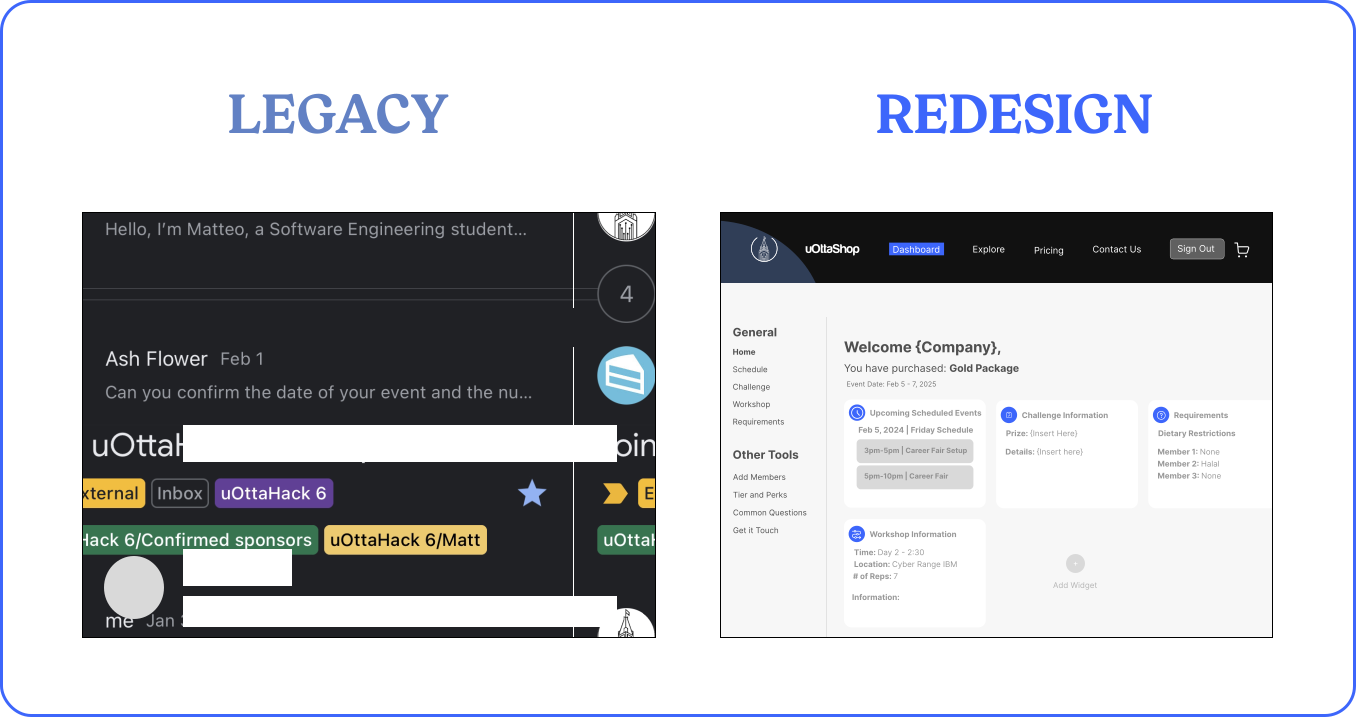
In terms of making it easier for sponsors to connect with organizers we created a prototype for what we might be able to see when the user logs into the dashboard. Comparing to the other ideas from Goal 2, Option 1 included more personalization content from the ideation stage, including all user preferences and customizable options for the users.
Reflection
By improving the sponsorship experience, it makes it easier for organizers and sponsorship representatives to connect with each other, and updating the process, we will have an enhanced user experience. This project allowed us to address feedback from sponsors directly and create a solution that benefits both the organization team and our sponsors.
We started off with an open ended problem. We can't work with broad concepts. By synthesizing feedback and research, it told us what we needed to improve and enhance the sponsorship process. The result is a more streamlined, professional platform that saves time and improves communication for all parties involved.
Next Steps...
The next steps will be to implement the dashboard with the development team and test it with real sponsors for the upcoming hackathon season. We plan to gather feedback throughout the implementation process and make iterative improvements to ensure the platform meets all sponsor needs. Future enhancements may include deeper analytics, more customizable widgets, and integration with other uOttaHack systems.
Try it out!